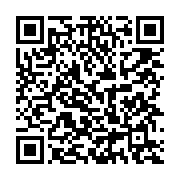
Kroger Rewards Sign up
How to Sign Up Online
* Log In: Go to the Kroger Community Rewards Page and sign in with your digital account.
* If you do not have an account, you may sign up for one.
* Find an Organization: Search for your preferred nonprofit organization by name or its unique NPO number.
* Enroll: Choose the correct organization from the list and click Save or Enroll.
* Shop: Swipe your registered Kroger Plus Card or type your alternate ID (phone number) at checkout every time you shop.
How to Find and Add Them
* Sign in to your account on the Kroger Community Rewards Page.
* Click Search for your organization.
* Type "M & K Ministry" into the search bar.
* Locate them in the search results and click Save or Enroll.
* Note: Make sure your digital account is set to the same geographic region or Kroger division where the ministry is registered, otherwise they may not show up in your local search results.
* Shop: Swipe your registered Kroger Plus Card or type your alternate ID (phone number) at checkout every time you shop.
M & K Ministry org ID: DJ731
|